Vi använder enhetsidentifierare för att anpassa innehållet och annonserna till användarna, tillhandahålla funktioner för sociala medier och analysera vår trafik. Vi vidarebefordrar även sådana identifierare och annan information från din enhet till de sociala medier och annons- och analysföretag som vi samarbetar med. Dessa kan i sin tur kombinera informationen med annan information som du har tillhandahållit eller som de har samlat in när du har använt deras tjänster.
Nödvändiga cookies låter dig använda webbplatsen genom att aktivera grundläggande funktioner, såsom sidnavigering och åtkomst till säkra områden på webbplatsen. Webbplatsen fungerar inte korrekt utan dessa cookies.
En del av de uppgifter som samlas in av denna leverantör är för personanpassning och mätning av reklameffektivitet. Leverantören kan använda IP-adresserna för mätning och personanpassning av annonser.
rc::aDenna cookie används för att särskilja människor från bottar. Detta är fördelaktigt för webbplatsen, i syfte att kunna göra giltiga rapporter om användningen av webbplatsen.
Maximal lagringstid: BeständigTyp: Lokal HTML-lagring
rc::cDenna cookie används för att särskilja människor från bottar.
Maximal lagringstid: SessionTyp: Lokal HTML-lagring
__cf_bmDenna cookie används för att särskilja människor från bottar. Detta är fördelaktigt för webbplatsen, i syfte att kunna göra giltiga rapporter om användningen av webbplatsen.
__RequestVerificationTokenBidrar till att förhindra Cross-Site Request Forgery-attacker (CSRF).
Maximal lagringstid: SessionTyp: HTTP-cookie
Cookies för inställningar låter en webbplats komma ihåg information som ändrar hur webbplatsen fungerar eller visas. Detta kan t.ex. vara föredraget språk eller regionen du befinner dig i.
FormsWebSessionIdCookien används om besökaren har fyllt i personlig information i ett formulär. Denna information fylls i automatiskt i andra formulär. Denna process används för att optimera besökarens upplevelse.
Maximal lagringstid: 30 dagarTyp: HTTP-cookie
Cookies för statistik hjälper en webbplatsägare att förstå hur besökare interagerar med webbplatser genom att samla och rapportera in information anonymt.
En del av de uppgifter som samlas in av denna leverantör är för personanpassning och mätning av reklameffektivitet. Leverantören kan använda IP-adresserna för mätning och personanpassning av annonser.
SSätter ett unikt ID för sessionen. Detta gör det möjligt för webbplatsen att samla in data om besökarens beteende för statistiska ändamål.
Maximal lagringstid: 1 dagTyp: HTTP-cookie
_gaGoogle analytics, _ga används för att förstå hur besökaren navigerar runt på webbplatsen
Maximal lagringstid: 2 årTyp: HTTP-cookie
_ga_#Används för att skicka data till Google Analytics om besökarens enhet och beteende. Spårar besökaren över enheter och marknadsföringskanaler.
Maximal lagringstid: 2 årTyp: HTTP-cookie
Cookies för marknadsföring används för att spåra besökare på webbplatser. Avsikten är att visa annonser som är relevanta och engagerande för enskilda användare, och därmed mer värdefull för utgivare och tredjepartsannonsörer.
En del av de uppgifter som samlas in av denna leverantör är för personanpassning och mätning av reklameffektivitet. Leverantören kan använda IP-adresserna för mätning och personanpassning av annonser.
COMPASSVäntande
Maximal lagringstid: 1 dagTyp: HTTP-cookie
GFE_RTTAnvänds för att implementera innehåll via Google Docs.
Maximal lagringstid: SessionTyp: HTTP-cookie
NIDRegistrerar ett unikt ID som identifierar en återkommande användares enhet. ID:t används för riktad reklam.
MUIDAnvänds brett av Microsoft som ett unikt användar-ID. Cookien möjliggör spårning av användaren genom att synkronisera ID:t över många Microsoft-domäner.
Lista över domäner som du ger samtycke till: [#BULK_CONSENT_DOMAINS#]
Cookie-deklaration uppdaterades senast 9/27/26 av Cookiebot
[#IABV2_TITLE#]
[#IABV2_BODY_INTRO#]
[#IABV2_BODY_LEGITIMATE_INTEREST_INTRO#]
[#IABV2_BODY_PREFERENCE_INTRO#]
[#IABV2_BODY_PURPOSES_INTRO#]
[#IABV2_BODY_PURPOSES#]
[#IABV2_BODY_FEATURES_INTRO#]
[#IABV2_BODY_FEATURES#]
[#IABV2_BODY_PARTNERS_INTRO#]
[#IABV2_BODY_PARTNERS#]
Om
Cookies är små textfiler som kan användas av webbplatser för att göra en användares upplevelse mer effektiv.
Lagen säger att vi får lagra cookies på din enhet om de är absolut nödvändiga för att kunna använda den här webbplatsen. För alla andra ändamål krävs ditt medgivande.
Denna webbplats använder olika typer av cookies. Vissa cookies placeras ut av tredjepartstjänster som visas på våra sidor.
Du kan ändra eller dra tillbaka ditt samtycke till cookie-förklaringen på vår webbplats.
Läs mer i vår sekretesspolicy om vilka vi är, hur du kontaktar oss och på vilket sätt vi behandlar personuppgifter.
Ange ditt samtyckes-ID och datum för när du kontaktade oss gällande ditt samtycke.
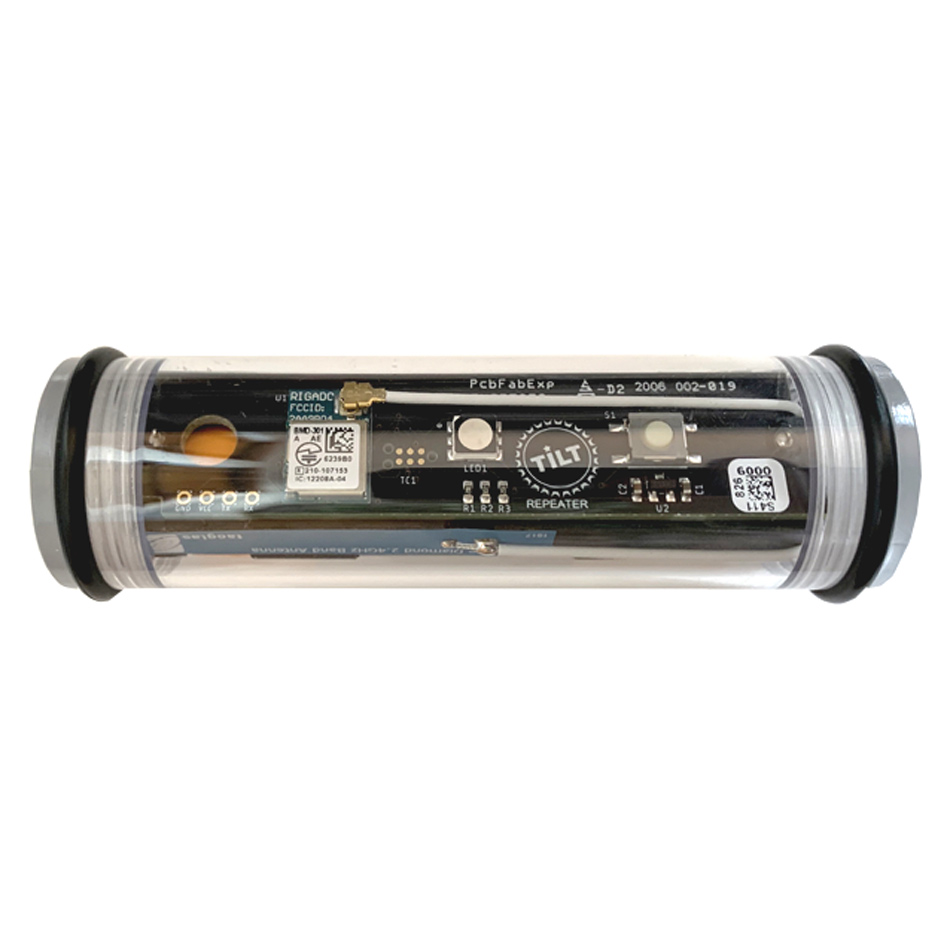
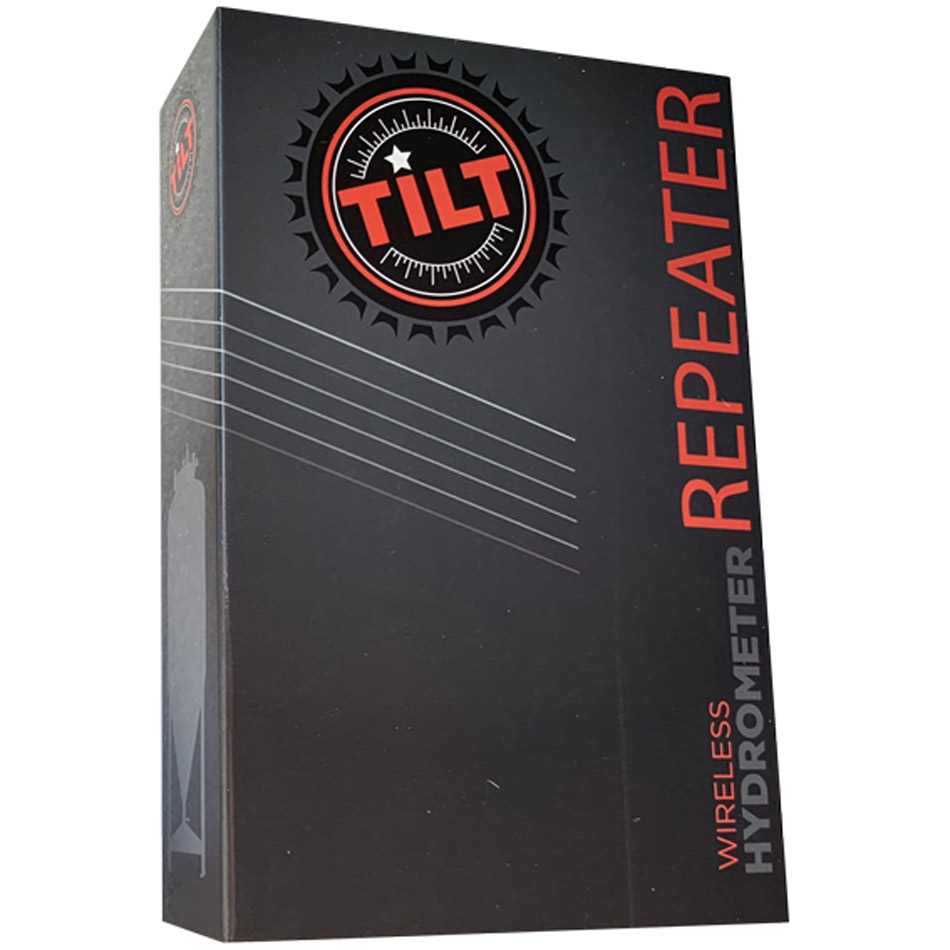
Designed for stainless steel fermenting vessels, the Tilt repeater extends range of your Tilt hydrometer so it can reach more convenient locations for your tablet or smartphone.
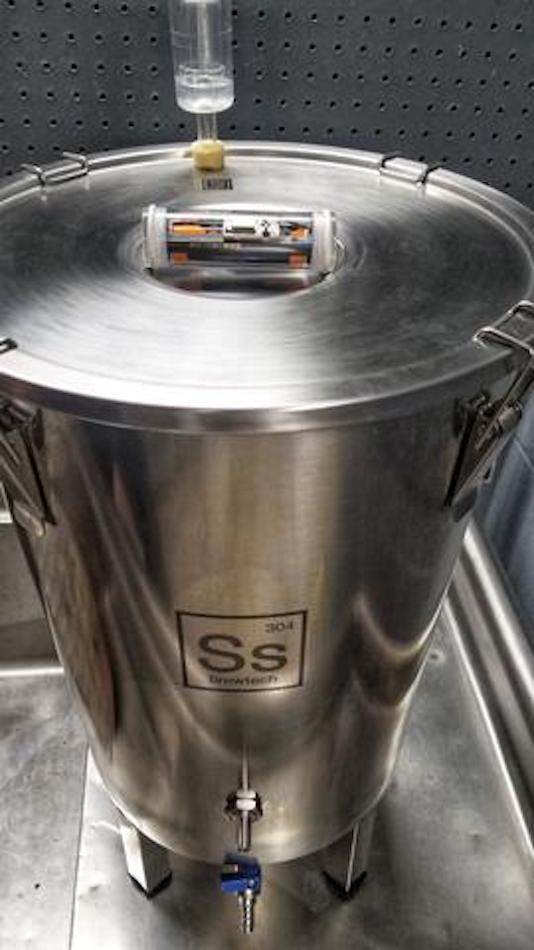
Place the unit outside the fermenter where the TIlt Hydrometer is located. Tilt Repeater is waterproof for any overflow situation or hose off, but it is not designed to float and/or be submersed.
Repeater can repeat signal from one Tilt at a time as long as signal is strong enough. Repeater updates at least once every 2 minutes.
Rechargeable battery (Micro-USB) included.
For installation:
Unscrew caps on each end the plastic enclosure. Gently push out electronics assembly.
Using the color key located on the battery holder, press the button repeatedly to select the desired Tilt hydrometer color to repeat. For example press the button once to repeat a red Tilt or twice to repeat a green Tilt. To turn the repeater off, press the button repeatedly until the LED blinks red.
Confirm desired color selected by opening the Tilt app and verifying selected color shows an initial specific gravity of 0.000 and temperature of 0°F (-17.8°C). Once the repeater connects (indicated by periodic green LED flash) it will show the actual repeated values.
Return assembly to tube and screw caps back on. Place repeater as close as possible to Tilt hydrometer (but still outside fermentor) and verify green LED flashes indicating a connection.
In stock: 2
Fast delivery
International shipping
E-mail us, we reply swiftly!
BrandTilt
Description
Article no.: 802095
Designed for stainless steel fermenting vessels, the Tilt repeater extends range of your Tilt hydrometer so it can reach more convenient locations for your tablet or smartphone.
Place the unit outside the fermenter where the TIlt Hydrometer is located. Tilt Repeater is waterproof for any overflow situation or hose off, but it is not designed to float and/or be submersed.
Repeater can repeat signal from one Tilt at a time as long as signal is strong enough. Repeater updates at least once every 2 minutes.
Rechargeable battery (Micro-USB) included.
For installation:
Unscrew caps on each end the plastic enclosure. Gently push out electronics assembly.
Using the color key located on the battery holder, press the button repeatedly to select the desired Tilt hydrometer color to repeat. For example press the button once to repeat a red Tilt or twice to repeat a green Tilt. To turn the repeater off, press the button repeatedly until the LED blinks red.
Confirm desired color selected by opening the Tilt app and verifying selected color shows an initial specific gravity of 0.000 and temperature of 0°F (-17.8°C). Once the repeater connects (indicated by periodic green LED flash) it will show the actual repeated values.
Return assembly to tube and screw caps back on. Place repeater as close as possible to Tilt hydrometer (but still outside fermentor) and verify green LED flashes indicating a connection.